Docking Stations
Docking Stations & USB-C Hubs Buyer Guide: Thunderbolt 4, Multi-Display Support, and 100W Power Delivery
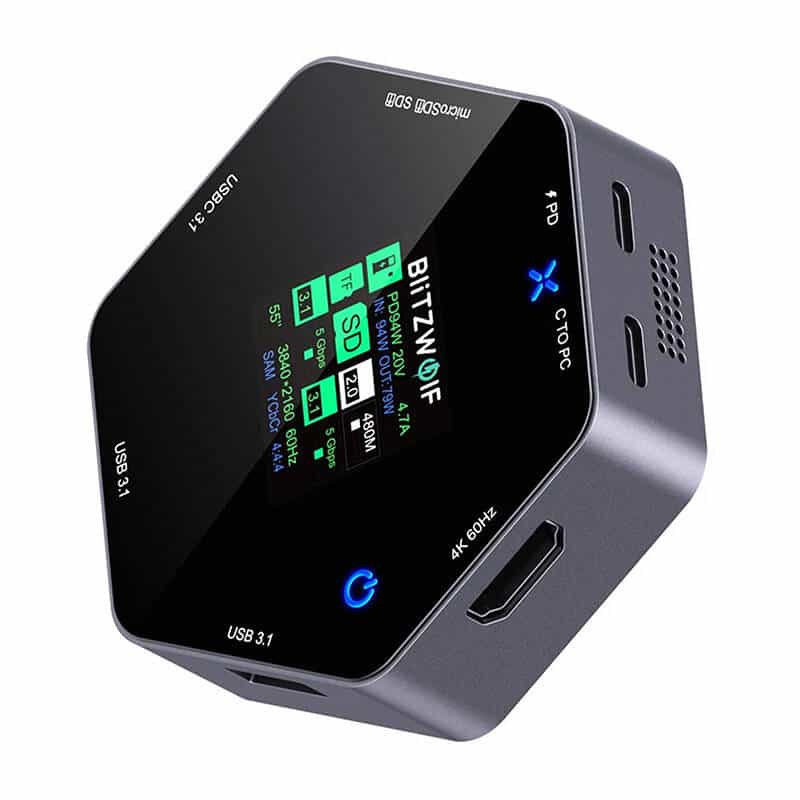
Desktop docking stations and multi-port USB-C hubs transform modern creator and business laptops into powerhouse workstations via a single cable, driving dual 4K/8K displays, 100W host power delivery, 2.5GbE Ethernet, and high-speed UHS-II card readers. This guide examines Thunderbolt 4 versus USB4 (40Gbps) architectures, macOS MST display limits, and passive thermal dissipation.
Read Buyer's GuideShow less
Communication Standards and Bus Bandwidth
Thunderbolt 4 & USB4 Architectures (40 Gbps)Provides uncompromised bandwidth with direct PCIe tunneling, concurrently carrying dual 4K video feeds, ultra-fast external SSD traffic, and network data.
USB-C 3.2 Gen 2 Mobile Hubs (10 Gbps)Compact and portable travel adapters driving a single 4K display, high-speed flash drives, wireless mice, and laptop pass-through charging.
Downstream Daisy-Chaining CapabilitiesThunderbolt 4 downstream ports allow users to chain up to five devices (such as RAID storage arrays and monitors) along a single workstation run.
Driverless Native Plug-and-Play IntegrationFlawless driverless support across macOS, Windows, and Linux without relying on CPU-intensive third-party DisplayLink software compression.
Video Output Pipelines and Multi-Monitor Layouts
Dual 4K@60Hz/144Hz or Single 8K OutputDisplayPort 1.4 and HDMI 2.1 outputs equipped with Display Stream Compression (DSC) deliver crisp, flicker-free rendering for video editors and CAD engineers.
macOS Multi-Stream Transport (MST) ConstraintsApple Mac laptops do not support standard MST over basic USB-C hubs; expanding to two independent extended desktops on Mac strictly requires a Thunderbolt dock.
High-Refresh Rate Support for Gaming DisplaysSupports 144Hz and 240Hz refresh rates at 1440p resolutions, eliminating frame tearing and input lag for competitive gaming and high-framerate playback.
Uncompressed 10-Bit Color and HDR10 Pass-ThroughMaintains full 4:4:4 chroma sampling and high dynamic range, which is critical for color grading, commercial photography, and print pre-press.
Host Charging, Wired Networking, and Memory Cards
Dedicated Host Power Delivery (85W to 100W)Independent AC power supplies supply robust wattage to keep high-performance laptops charged under sustained loads while powering all USB peripherals.
High-Speed UHS-II SD and microSD Card SlotsTransfer speeds up to 312 MB/s allow creators to ingest 128GB of 4K/8K cinema footage to the laptop in under seven minutes.
Integrated 2.5GbE / Gigabit Ethernet LANHardwired RJ45 networking ensures drop-free transfers to local NAS arrays and ultra-low ping video calls unaffected by Wi-Fi congestion.
Anodized Aluminum Thermal EnclosureMachined aluminum housings act as massive passive heatsinks, keeping high-speed controllers cool and preventing throttling during 24/7 desktop operation.
Frequently Asked Questions about Docking Stations and USB-C Hubs
What is the key difference between a Thunderbolt 4 dock and a standard USB-C hub?
A standard USB-C hub is throttled to 5–10 Gbps total shared bandwidth, often compromising video refresh rates or throttling USB drive speeds. A Thunderbolt 4 docking station boasts a massive 40 Gbps bi-directional pipeline with direct PCIe tunneling, allowing you to simultaneously drive two independent 4K@60Hz monitors, access blazing-fast NVMe storage drives at up to 3,000 MB/s, and charge your laptop at 100W without performance degradation.
Why does my MacBook duplicate (mirror) the same image across two external monitors on a standard USB-C hub?
This is an operating system limitation within macOS. Apple chooses not to support DisplayPort Multi-Stream Transport (MST) over standard USB-C connections. Consequently, generic USB-C dual-display hubs can only mirror identical content. To achieve two independently extended desktop displays on a Mac, you must use a true Thunderbolt 3 or Thunderbolt 4 docking station.
Can a 100W Power Delivery dock charge a workstation laptop that came with a 130W power brick?
Yes, safely and reliably. Under standard office workflows, coding, and web browsing, high-end laptops consume well under 80W, so a 100W dock will charge the battery without issue. Only under sustained, prolonged 100% GPU rendering or gaming loads might the battery charge at a slightly slower pace or temporarily plateau.
Why should creators prioritize a dock with a UHS-II SD card slot over UHS-I?
UHS-II cards incorporate a secondary row of physical pins that unlock transfer speeds up to 300+ MB/s, compared to the roughly 90–104 MB/s ceiling of older UHS-I readers. For commercial videographers and photographers ingesting hundreds of gigabytes of RAW footage daily, UHS-II slashes offload times from nearly half an hour down to just a few minutes.